
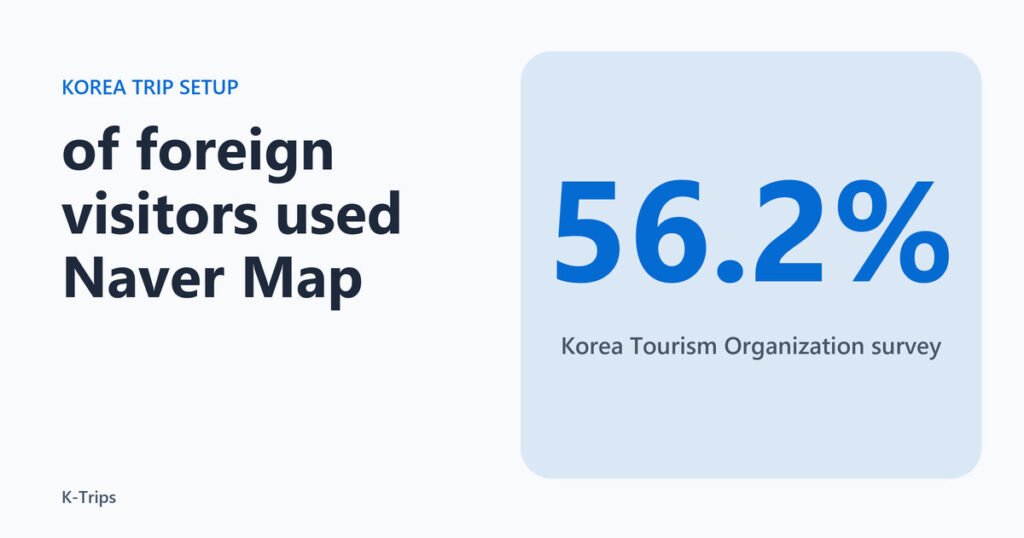
In a Korea Tourism Organization survey that KED Global reported in September 2024, 56.2 percent of foreign visitors said they used Naver Map, against 33.9 percent who used Google Maps. Visitors use both, yet the lead is wide enough to make Naver Map the first map to install. The short list is one way to get data and four apps, which are a map, a translator, a taxi app and the national travel helpline, all set up before the flight instead of in the arrivals hall. Each choice below is tied to an official page.


Choosing How You Get Online
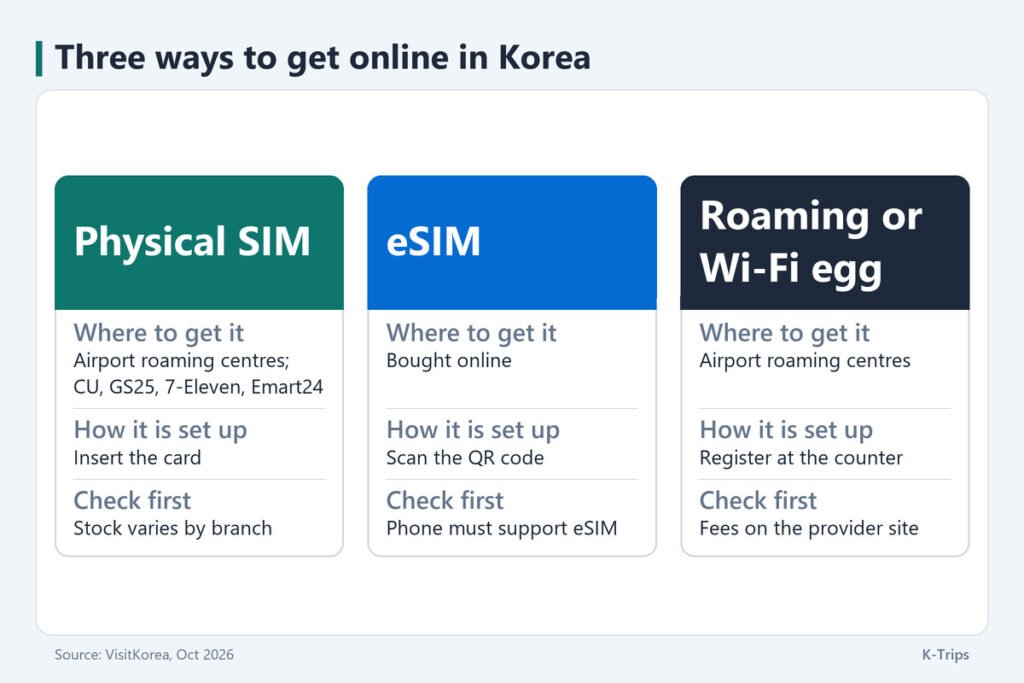
VisitKorea’s page on communications describes the airport side plainly. Korea’s major airports, Incheon, Gimpo, Gimhae and Jeju, have roaming centres run by the local network providers, where visitors can register for roaming, buy a SIM card, rent a Wi-Fi egg or even rent a smartphone. Korean providers sell both physical USIM cards and eSIMs. The real decision is therefore between three routes, set side by side in the table below, and it is best made at home.
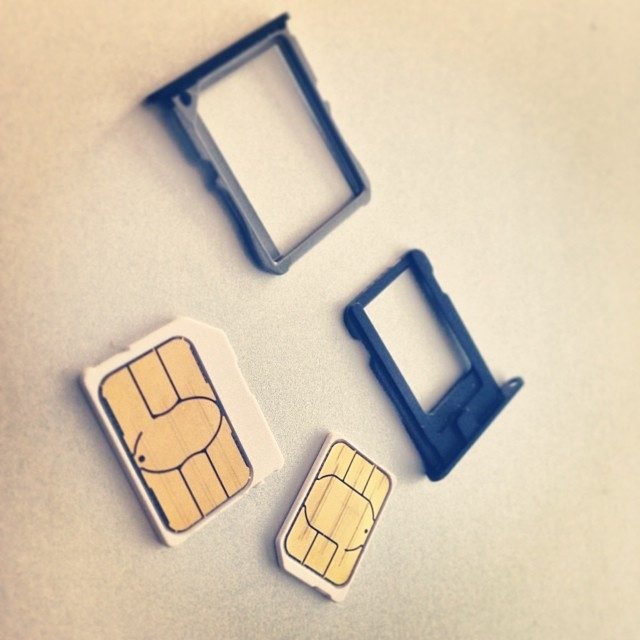
A physical SIM from the airport or a shop
A physical USIM goes into the phone you carry. VisitKorea says it can be bought at the roaming centres inside the major airports and at select convenience stores and retailers, and that you can also order online and collect it at the airport. The chains it names are CU, GS25, 7-Eleven and Emart24, with the warning that stock varies by branch, so check the chain’s website or app instead of assuming that the nearest shop has one. Plans can offer unlimited data or a local number. If you only need data, a number is optional, and the taxi section below covers where a number comes up.

An eSIM bought in advance
An eSIM is a digital SIM built into the phone, so there is no card to collect. According to VisitKorea you buy it online and scan the QR code you are sent, and the page tells you to check that your phone supports eSIM before you pay. A handset that cannot load one turns a convenient purchase into a problem you meet in the arrivals hall, with nothing to fall back on except a counter queue. Ask your carrier whether the handset is unlocked as well as whether it supports eSIM. Buy it before you fly rather than on arrival, and confirm compatibility first.
Roaming and Wi-Fi eggs
The third route keeps your home SIM. The roaming centres register your device for roaming and also rent Wi-Fi eggs, portable routers that several phones can share. VisitKorea sends fees and counter locations to each provider’s own roaming site: kt at roaming.kt.com, SK Telecom at www.sktroaming.com and LG U+ at www.lguplus.com. For one traveller a SIM is the simpler tool. A router earns its place when a group wants a single shared connection and nobody wants to manage separate cards.
Maps and Translation That Fit Korea
The survey figure is a reason, not a rule, so here is what the sources say about the two apps that carry most of a trip.
Naver Map
KED Global reports that Naver Map’s daily active users in foreign languages rose 30.8 percent in August 2024 from a year earlier. It also says Naver has added English, Chinese and Japanese detail such as keyword reviews, business hours, takeout options and reservations, and that 62 percent of the country’s travel and transport app users used Naver Map as of July 2024, against 22 percent for Google Maps. In practice that means a restaurant or shop listing carries its hours and reservation options in English. Install it before you fly, save your hotel and your first two destinations, and note the subway exit number for each place before you go underground, because the exit decides which side of a wide road you surface on.
Papago
Papago is Naver’s translator, the app to keep one tap from the home screen when you need help with a menu, a sign or a conversation with staff. Check inside the app, before you fly, which features work without a connection.
Kakao T and the Ride Home
VisitKorea’s guide to ride-hailing apps calls Kakao T the most widely used taxi app among Koreans and tourists alike, available across the country including Jeju Island. To use it you first make a Kakao account through KakaoTalk, and you can sign up with a local mobile number. You can pay the driver by cash, credit card or Tmoney card, or use auto-pay. The app shows the driver’s name and plate number before the ride, which the page presents as a safety feature. The page also notes that Kakao Mobility launched k.ride in 2024, a taxi app for foreigners that does not require a KakaoTalk sign-up, works in English, Japanese and Chinese, offers auto-translation in more than 100 languages for destinations and chat with the driver, and lets travellers register their own credit card.
That makes k.ride the path of least resistance for a visitor who arrives without a Korean number, and Kakao T the one to keep if you already have a Kakao account. The base fare varies by taxi type, which the page says plainly, so check the type before you confirm. A walk-through of booking a Seoul taxi step by step covers the screens, and how the T-money transport card works covers the card that pays for the subway and buses on the same trip. Kakao T also covers Jeju, which matters for a one-day loop on the island.
The booking flow on that page is short: open the app, enter the pick-up point and destination, choose a taxi type, select “pay to the driver” as the payment option, confirm, and wait for the dispatch message. The types it lists are Regular, which calls a taxi within the vicinity, Deluxe, Blue, which calls a taxi immediately, Venti, a minivan for more than four passengers, and Black, a premium luxury car. Venti is the type to pick for a group of more than four.
The same page names two other apps built for visitors. TADA accepts an international mobile number for sign-up and a credit card for payment, and is available in Korean and English. TABA was made for international tourists with support from the Seoul Metropolitan Government, signs up with a mobile number or a Google or Apple ID, shows a fare estimate from distance and live traffic before you book, and offers sedan, van and deluxe types. Its languages are English, Japanese, Chinese, Thai and Russian. Neither replaces Kakao T for coverage, but both remove the sign-up obstacle, which is why the choice depends on your phone number and card rather than on the taxi.
Power, Plugs and Free Wi-Fi
Korea’s standard voltage is 220 volts at 60 hertz, and the outlet has two round holes. VisitKorea says that if you have no multi-voltage travel adapter you can borrow or buy one at the hotel front desk, and that adapters are also sold at the airport, in retail stores, in major duty-free shops and in convenience stores. The one case to check on the label is an appliance rated for 110 to 120 volts only. A plug adapter changes the shape, not the voltage, so a single-voltage hair dryer needs a converter or a local replacement.
Free public Wi-Fi is available in most public places, including airports, subway stations, train stations and certain bus stops, and PC rooms and coffee shops are listed as good places too. The page points to wififree.kr for the public network. That is a backup for a dead data plan, not a plan, and public networks are a poor place to log in to anything sensitive.
The 1330 Helpline as the Fourth App
The fourth app is not a map or a translator. The Korea Tourism Organization runs the 1330 Korea Travel Helpline, a telephone and real-time chat service that covers tourist information, interpretation into several languages, complaints and the tourist police. The number is 1330 inside Korea and +82-2-1330 from overseas. The page lists an online voice call for Android and iOS that needs Wi-Fi, which makes it free to use, and a chat service through 1330 Messenger with no download or through KakaoTalk, Facebook, Line and WhatsApp.
It earns the slot because it solves the problems the other three cannot. A map does not argue with a driver, a translator does not file a complaint, and a taxi app does not interpret between you and a hotel desk. Save the number and the chat contact while you still have a connection, and treat it as the last link in the chain, after the SIM, the map and the translator.
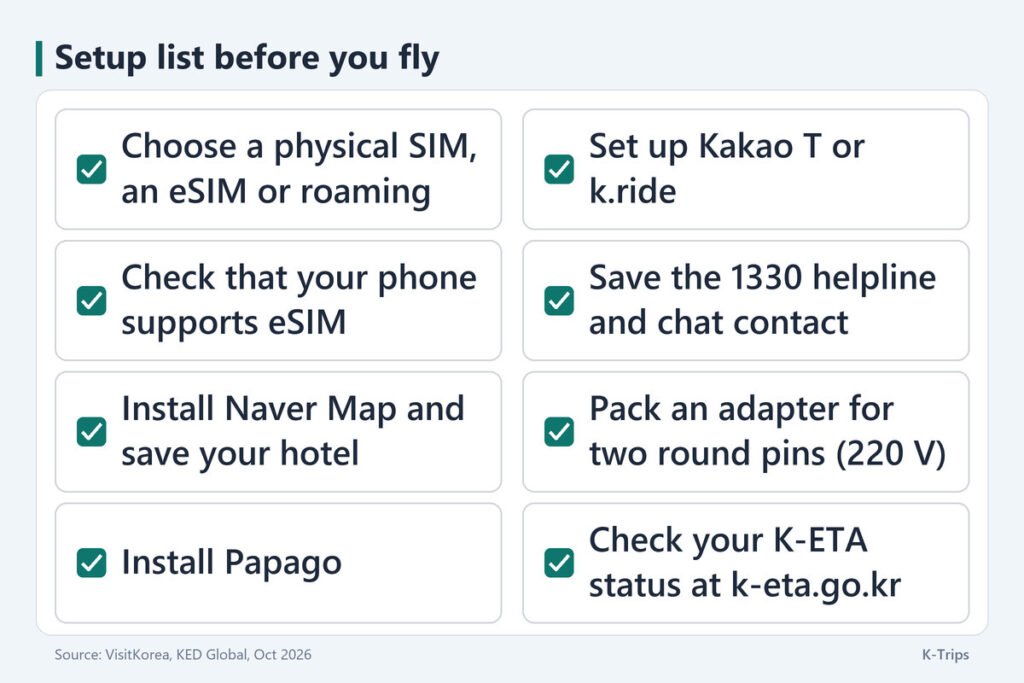
The order matters as much as the list. Settle the connection first, because every other step needs it: an eSIM profile is set up before departure, a physical card is ordered ahead for airport pickup or collected on arrival, and a roaming plan is registered with the provider. Then install the map and save your hotel, add the translator, create the taxi account while you still have home Wi-Fi, and save the 1330 contact last. The checklist below puts the same steps in sequence.
Check Your K-ETA Before You Book
Whether you need a K-ETA depends on your passport: the temporary exemption for eligible nationalities runs to December 31, 2026, so confirm your own status on the official K-ETA site, k-eta.go.kr, before you book, and apply there and nowhere else if you are not exempt.